Tuesday, November 26, 2013
How to reset the protection counter of Epson Stylus R7880
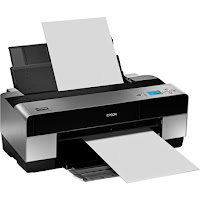
Epson Stylus Pro R7880 Adjustment Program
FIX PRINTER ERROR "parts inside printer end service life, waste ink pad counter overflow error"
Please follow the steps below to reset the protection counter effectively.
- Double click AdjProg.exe.
- Click “Accept” button.
- Click "Select" button. and select your printer model then click "OK"
- Click “Particular adjustment mode” button.
- Select on “Waste ink pad counter” and click “OK” button.
- Click on “Initialization” button and the program will reset the protection counter.
- Turn off the printer as a program instructed then turn on again.
- Click “Finish” button. and its done!
Warning: You might end up with ink leaking out of the printer if you dont either replace the waste ink pad or install external waste bin.

Monday, November 25, 2013
Resetting Instructions for Epson Printers by Using Adjustment Program
This procedure is applicable for all Epson printers. In fact there are two models/versions software resetters or adjustment program for Epson printer (see the picture). Some adjustment program requires date setting to run the software without error and other not require.
Model 1 of Epson adjustment program(tab version)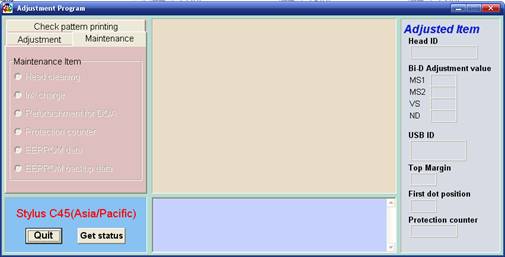
- Switch on the printer.
- Set computer date setting (if the adjustment programs require date setting).
- Run the adjustment program.
- Set printer model then click ok (if exist, usually there are adjustment program can be used at more than one printer).
- Click Maintenance Tab
- Check Protection counter.
- Click protection counter to reset counter to zero.
- Then click Ok, Ok
- switch off printer for 5secs then switch on again
- done
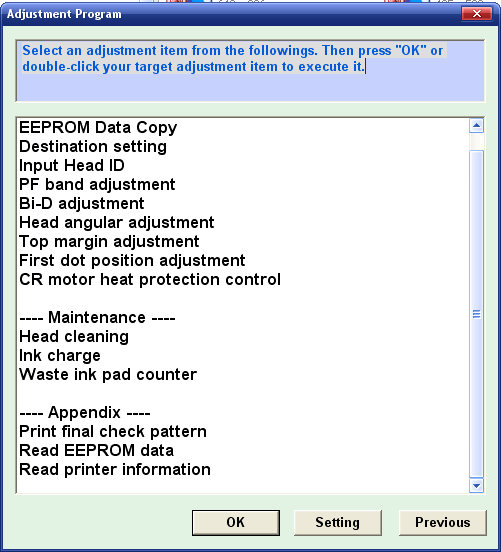
- Switch on printer.
- Set computer date setting (if the adjustment programs require date setting).
- Run the adjustment program.
- Set printer model then click ok (if exist, usually there are adjustment program can be used at more than one printer).
- Click particular adjustment mode.
- Select waste ink pad counter in the maintenance section then click ok or double click the menu.
- Click on “check button” or “read button” till its done then click on “initialization button” then click “finish”.
- switch off printer for 5secs then switch on again
- done
Sunday, November 24, 2013
Resetter canon 1980 1880 iP2500 iP1900 iP1100 iP1800
Error printer Always appear message:...
“The Ink Absorber is Full
Contact The service Center”.
Or Ink Full Tank usually indicator lamp on power and resume blinking many times
But don’t be afraid, You just follow this step :
Manual Reset Steps :
1. Press and hold power button with your finger and then take in power cable
2. Hold power button, then press resume button with your middle finger twice.
3. Let in power button
4. Printer doesnot blinking any more.
5. At this step you had done Manual Reset Step and printer could be use again.
6. But if manually your printer still error, you should use Reset Software permanently
Read more...
“The Ink Absorber is Full
Contact The service Center”.
Or Ink Full Tank usually indicator lamp on power and resume blinking many times
But don’t be afraid, You just follow this step :
Manual Reset Steps :
1. Press and hold power button with your finger and then take in power cable
2. Hold power button, then press resume button with your middle finger twice.
3. Let in power button
4. Printer doesnot blinking any more.
5. At this step you had done Manual Reset Step and printer could be use again.
6. But if manually your printer still error, you should use Reset Software permanently
Subscribe to:
Posts (Atom)