Showing posts with label of. Show all posts
Showing posts with label of. Show all posts
Tuesday, November 26, 2013
How to reset the protection counter of Epson Stylus R7880
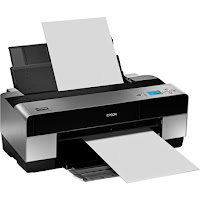
Epson Stylus Pro R7880 Adjustment Program
FIX PRINTER ERROR "parts inside printer end service life, waste ink pad counter overflow error"
Please follow the steps below to reset the protection counter effectively.
- Double click AdjProg.exe.
- Click “Accept” button.
- Click "Select" button. and select your printer model then click "OK"
- Click “Particular adjustment mode” button.
- Select on “Waste ink pad counter” and click “OK” button.
- Click on “Initialization” button and the program will reset the protection counter.
- Turn off the printer as a program instructed then turn on again.
- Click “Finish” button. and its done!
Warning: You might end up with ink leaking out of the printer if you dont either replace the waste ink pad or install external waste bin.

Monday, September 23, 2013
How to reset the protection counter of Epson L100 printer

FIX PRINTER ERROR "parts inside printer end service life, waste ink pad counter overflow error"
Please follow the steps below to reset the protection counter effectively.
- Double click Adjprog.exe.
- Click “Accept” button.
- Click "Select" button. and choose your printer model then click "OK"
- Click “Particular adjustment mode” button.
- Select on “Waste ink pad counter” and click “OK” button.
- Check on Main pad counter and click on “Initialization” button and the program will reset the protection counter.
- Turn off the printer as a program instructed then turn on again.
- Click “Finish” button. and its done!
Adjprog.exe
Sunday, April 7, 2013
Canon Copier ImageClass MF4690 – Middle of the Road MFC

Here we have a multifunction center that fully embodies the concept of a small office printer. The Canon Copier ImageClass MF4690 has all of the features you’d expect from a Canon all in one, but doesn’t go overboard with the bells and whistles, which plants this unit firmly in the realm where performance is balanced with value.
The Canon Copier ImageClass MF4690 is a network printer with a built in Ethernet port which allows access to the hardware for an entire small (or large) office. It also includes a UBS 2.0 hi-speed port for direct connection to a single unit and, additionally, provides a front USB port for direct connect to a USB memory device. When using a portable memory device, the dedicated “scan to” features allow you to scan documents directly onto your thumb drive or other device in JPEG, PDF, TIFF, or BMP formats. You can also use this function to send data to a computer you are interfaced with without bothering with PC software.
If you do choose to go with the Windows or Mac based software, compatibility will not be an issue, as both TWAIN and WIA types are supported. Scan quality is decent, with optical topping out at 600 X 1200 dots per inch and interpolated at a maximum of 9600 X 9600 dpi. While color scans are an option, printing is monochrome only, but the quality is also more than suitable and can be set at either 600 X 600 or 1200 X 600 dots per inch which is enough to make your text documents crisp and professional looking, and keep black and white charts and graphs looking fairly clean.
Subscribe to:
Posts (Atom)