Showing posts with label resetter. Show all posts

Sunday, December 1, 2013

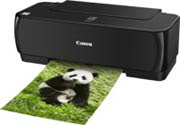
Full Tank Ink Resetter on IP in 1980

To perform Full Tank Ink Resetter on IP in 1980 is usually the indicator light on the power and resume blinking repeatedly do when that happens the next steps:

First. Turn on the printer Canon iP1900
2. Press and hold the resume button for 2 minutes.
3. Release the Resume button.
4. The printer will return to normal.
5. If still not normal too, do the steps as for manual reset and Reset software

Step Manual Reset

First. Printer power cable plugs in a state separated
2. Press and hold down the power button with your index finger and then the input power cable
3. Still hold the power button, then press the middle finger Button reset button twice.
4. Release the power button
5. The printer is not blinking
6. At this stage youve completed the steps Manual Reset
7. In order to permanently software please use the Reset.
Read more...

Friday, November 29, 2013

EPSON STYLUS 1390 Resetter

tutorial resetter epson 1390a. Epson Stylus 1390 Printer Driver is installed first, and make sure the printer is connect to the computer
b. Make sure you have the Software Resetter Printer Epson Stylus 1390.
c. Make sure that the damages requested in the printer reset counter (usually red flame of the lamp on the printer - and turns green print head does not move)

Here is how to use the Software Resetter Epson Stylus 1390:

1. Connect the power cable and printer cable printer usb, then turn on the printer. Leave the printer in the blink condition
2. IMPORTANT!!. Change dates to now.
If not changed then the software can not be changed and will display an error message:
tutorial resetter Epson 1390
3. Open Software Resetter Epson Stylus 1390.
4. Click Accept.
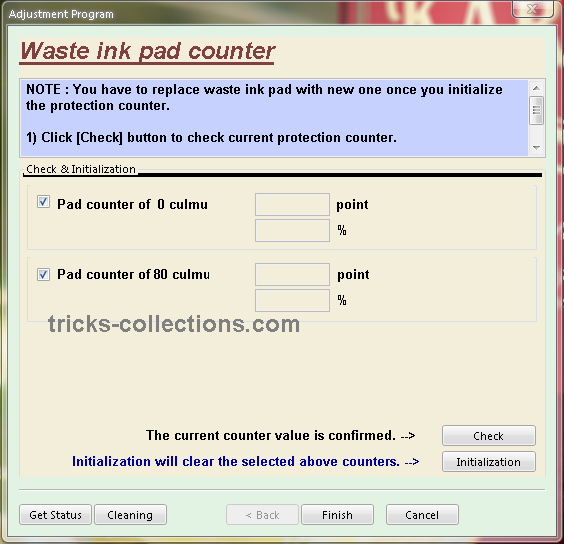
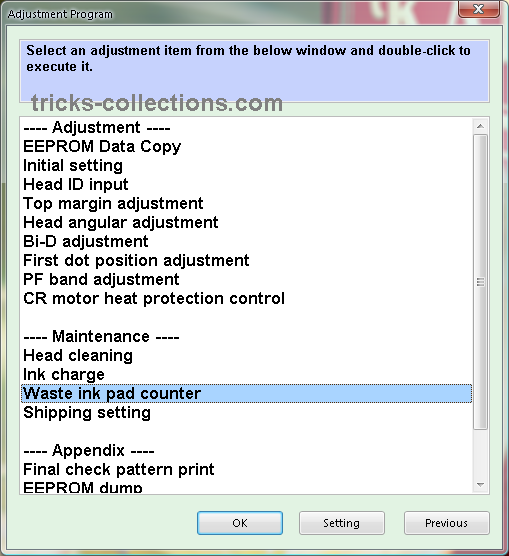
5. Select Particular Adjustment mode. At the Maintenance menu, select Waste ink pad counter
6. Click Check to see the results of the last counter value
7. Click OK to continue
8. Here is the display counter values results from the printer
9. Click initialization to process reset counter
10. Click OK, and then turn off the printer and unplug the power cable
11. Reattach the power cable and turn on the printer. Wait until the printer calibration is completed
12. After the printer is ready, click on Check to see value in the counter after reset. Click OK to continue
13. The final result after the reset counter value using Software Resetter Epson Stylus 1390
Read more...

Thursday, November 28, 2013

Epson Stylus 600 printer resetter

Epson Stylus 600 printer resetter
This procedure is to reset the Epson Stylus 600 printer when are the lights will blink and will not let you print.

Para realizar el reset lo que tiens que hacer es lo siguiente: To perform the reset tiens what to do is the following:

Hay que presionar y mantener apretado el boton de LOAD/EJECT (tomar hoja) y el de Cleaning (limpieza) . We must press and hold the button LOAD / EJECT (take up) and the Cleaning (cleaning).

Mientras mantienes apretados esos botones , tienes que presionar el boton de POWER (encendido) y tenerlo apretado hasta que las luces (ink out – tinta vacia y paper out- falta papel) empiezan a titilar o parpadear. While holding these buttons, you must press the power button (on) and keep it tight until the lights (ink out - empty ink and paper out-out of paper) start to flash or flicker.

Cuadno suceda esto suelta todos los botones. When it has to happen this release all buttons.

Cuando pasen 3 o 4 segundos apreta y mantenlo apretado el boton de CLEANING (limpieza) hasta que las luces que titilaban dejen de hacerlo. When you spend three or four seconds click and hold down the button CLEANING (cleaning) until the lights flickered stop.

YA ESTA!!! NOW THIS! ya quedo lista para usarla!! and am ready to use!

Seria conveniente que cada vez que se haga este procedimiento hacer una limpieza a la esponja interna de la impresora, por que alli deja depositado todo el exceso de tinta de la impresora y podria derramarse. It would be desirable that each time you do this procedure done to clean the sponge inside the printer, because there left on deposit all excess ink from the printer and may spill. Esto no es 100 % necesario pero seria muy bueno que lo hagas. This is not 100% necessary but it would be very good to do so.
Read more...

Download Free Epson Stylus Photo TX810FW Resetter

Download Free Epson Stylus Photo TX810FW Resetter

Before using the Software Resetter Epson Stylus Photo TX810FW, make sure:

a. Epson Stylus Photo Printer Drivers TX810FW already installed first, and make sure the printer is connect to the computer
b. Make sure you have the "Software Resetter Printer Epson Stylus Photo TX810FW"
c. Make sure that the damages requested in the printer reset counter (usually a red flame of the lamp on the printer all)

Here is a tutorial resetter Epson Stylus Photo TX810FW:
One. Prepare Adjustment Epson Stylus Photo Software TX810FW on your computer
2. If the software is compressed, the software used to extract resetter his Epson Stylus Photo TX810FW
3. Turn on the Printer
4. Open the folder resetter Epson Stylus Photo TX810FW Adjprog.exe you and run the file.
5. Click Particular adjustment mode menu entry to reset the printer counter
6. Find and click the Consumables menu maintenance counters, and then click OK
7. Put a check in the Main and Platen countre pad pad counters, and then click Check to find out the counter value at the time of blinking, and OK to continue the adjustment Epson tx810fw
Click initialization to change / reset the printer counter becomes zero, so the printer to be normal again. Then click OK to continue
8. Click Finish to end the process of resetting the counter Epson Stylus Photo TX810FW
9. Click Previous to return to main menu
10. Click Quit to exit the program counter reset Epson Stylus Photo TX810FW
11. Reset waste ink counter Epson Stylus Photo TX810FW already been done, turn off the printer for a while, then restart the printer, and wait until finished printer calibration
Read more...

Sunday, November 24, 2013

Resetter canon 1980 1880 iP2500 iP1900 iP1100 iP1800

Error printer Always appear message:...
“The Ink Absorber is Full
Contact The service Center”.https://blogger.googleusercontent.com/img/b/R29vZ2xl/AVvXsEheGuLA1z71zubWXx7Culwz8R7U67_v2qd7zGii5iGFhTFdA5hNZs5An6bfkJ2n0xp7ODtA-QejoolgNLWLLAz1RdB0Bi-22pEiIhjhOIpENFctl3CsoUNfC9-N1E2lY1QVsGzorbJOs8g/s200/canon-pixma-ip1900.jpg

Or Ink Full Tank usually indicator lamp on power and resume blinking many times

But don’t be afraid, You just follow this step :

Manual Reset Steps :

1. Press and hold power button with your finger and then take in power cable
2. Hold power button, then press resume button with your middle finger twice.
3. Let in power button
4. Printer doesnot blinking any more.
5. At this step you had done Manual Reset Step and printer could be use again.
6. But if manually your printer still error, you should use Reset Software permanently
Read more...

Friday, November 22, 2013

Resetter Epson Stylus Photo 1390

Need adjustment program or software resetter for Epson Stylus Photo 1390, download the software from download link below. To use this software is easy but this software only work on Windows XP. If you use newest windows version such as windows 7 You can use comparability mode to run this software without error. The unique feature on this software, this having shipping setting in maintenance menu feature. This function is implementing in case of nozzle expulsion troubles caused by the transport. This function will cleaning the printer and performed automatically when the printer is turned on.
Epson Stylus Photo 1390 is a Spectacular Epson printer and this printer can print Up To A3+ Size. Other feature, this printer using cost-efficient INKdividual cartridges to rediuce cost when printing.
Epson Stylus Photo 1390
Reset waste ink Counter using adjustment program Epson Stylus Photo 1390
  • Turn on the Printer.
  • Set date setting in your computer to 4 October 2007.
  • Run Adjustment Program by clicking “AdjProg.exe”.
  • Select Accept
  • Select Particular adjustment mode
  • Select “Waste ink pad counter – OK
  • Click Initialization to reset current protection counter to “Zero”.
  • Turn off printer and turn on again.
Download adjustment program or software resetter for Epson Stylus Photo 1390, You can download from this link: Download Adjustent program Epson 1390
Read more...

Resetter Epson CX5500

To run resetter Epson cx5500 no require date setting in your computer. But I’m not sure with this software, because the appearance of this Epson CX5500 resetter different from other Epson adjustment program. Unfortunately I did not found alternative software resetter other that this software.
Epson Stylus CX 5500 All in One printer with DURABrite Ultra Ink. This printer can print and copy with one-touch buttons with print speed up to 25 ppm (page per minutes) and can print image up to up to 5760 x 1440 dpi. This printer also can directly scan to PC at 600 dpi.
Epson-Stylus-CX5500
How to run software resetter Epson cx5500
  • Download and extract the file.
  • Run “ServiceFT.exe”
  • Select waste ink pad counter from maintenance item, double click to execute it.
  • Click Initialization button to reset current protection counter to Zero.
  • Read(again) after “0″ press finish
  • Choose set shipping data (bottom menu)
  • Choose set
  • Wait for a while (about 1 minute)
  • If there is a reaction from the printer (it will load some paper or you hear “klothak” sound), the reset process will be done. turn off the printer and then turn on again. repeat read the EEPRsaya
  • If there is no reaction from the printer, repeat step 1
I hoe this tutorial can help to solve your Epson CX5500 problem. You can download adjustment program epson CX5500 from following link: http://www.mediafire.com/?apmmjzdzjm0
Read more...

Thursday, November 21, 2013

Resetter Epson TX100 and Epson TX105

Require working resetter for Epson TX100 and TX105 please download this adjustment program. Like my previous software resetter epson TX series to run this software without error don’t click AdjProg.exe directly. You can run this adjustment Epson TX100 and TX105 software by clicking loader exe.
Epson Stylus TX100 and TX105  is a multifunction printer designed to deliver high quality results for all your printing, photocopying and scanning. This epson printer can print up to 5760 dpi  with Variable-Sized Droplet Technology and it having print speed 26 ppm for black text and 14 ppm for color text on A4 paper size.
How to reset counter epson TX100 or Epson TX105 with this software.
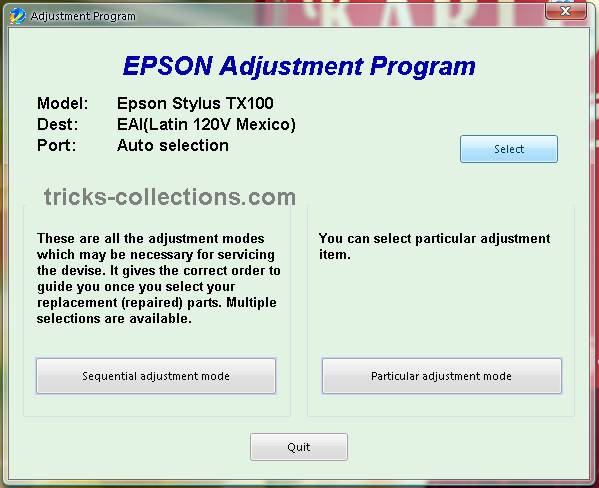
  • Run the software (Adjustment TX100 and TX105 no instalation require). Then click accept button. Click select button to seledt your printers type. Available two coiche.  Epson TX100 or Epson TX105, Ok. Click paticular adjustment mode.
    adjustment program TX100
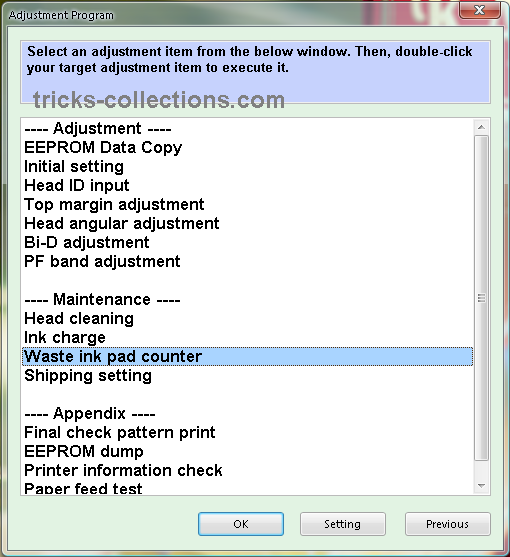
  • Click waste ink pad counter from maintenance menu, OK.
    adjustment program TX100 2
  • Click check to view status counter of your printers. Click initialization to reset the counter.
    adjustment program T100 3
Download adjustment program Epson TX100 or Adjustment Program Epson TX105 from rapidshared: http://rapidshare.com/files/290833438/TX100.rar.html
Update: New download link in mediafire : http://www.mediafire.com/file/mzezmztzmkg/TX100-TX105.rar
note: no warranty all problem caused by this software on printer. Use this software as your own risk
Read more...

Friday, November 15, 2013

Resetter Epson T10

Many tricks-collections.com reader ask me “where I can download software resetter Epson T10 or T11”, Now I get download link for software resetter or adjustment program for Epson T10 or T11. But the software mentioned here is not original adjustment program Epson T10 because the software has cracked by OrTHoTaMiNe. Although its cracked program, all features on this software work fine.
Epson Stylus T10 is Inkjet Printer with water and smudge resistant prints with 4 color individual cartridges and this printers have using Epson DURABrite Ultra Inks. This epson printer is best choice for home user if require high resolution print quality because this printer can print up to 5760 x 1440 dpi with print speed  22 ppm (black) and 13 ppm (color). Interface this printer to connected to PC using  USB 2.0.
Epson-stylus-T10
Unlike previous adjustment program for epson, to use this resetter no date setting require. You can click direcly AdjProg,Exe to run the resetter.
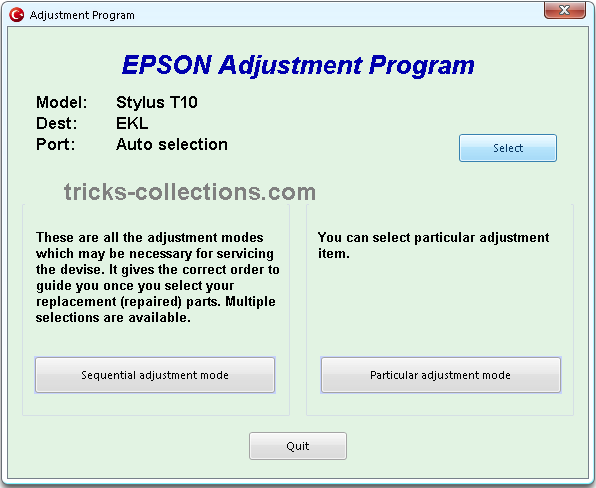
Here some look n feel of adjustment program Epson T11:
waste ink counter epson T10
Download Adjustment Program Epson T10 or Epson T11: http://rapidshare.com/files/293895708/T10.rar.html
Updated: Request from reader, I have upload the software to new location. New download link on the software on MediaFire: Resetter Epson T10 and T11
Read more...

Thursday, November 14, 2013

Epson Resetter T10 and TX100

I get this  download link info software resetter T10 and TX100 from this blog reader but this adjustment program TX100 and T10 is trial version. All features of this software  doesn’t not work but many this blog request this software. I hope one of the reader can make this software work 100%. If you interested to try this software you can download this from the link below.
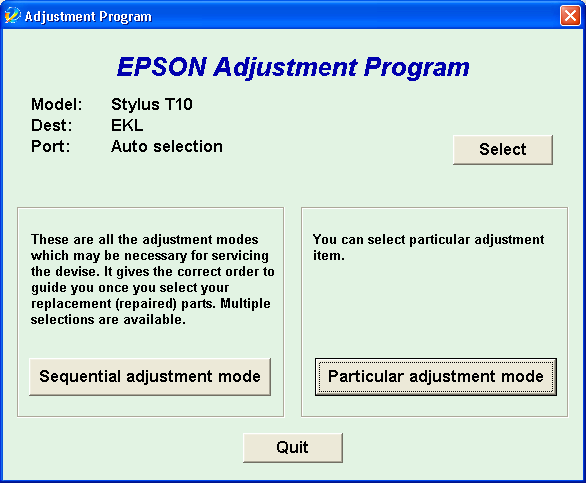
When I try this software on my computer, this software does not respond when I click “particular adjustment mode” or “sequintal adjustment mode”. Here the screen-shot of the adjustment program T10 and TX100.
epson-t10 epson-tx100
This adjustment does not work, dont waste your time to download this software if wont working software.
  • Download link adjustment epson tx100 –> http://www.mediafire.com/file/2dzmkwkjjoa/TX100.zip
  • Download link Adjustment epson t10 –> http://www.mediafire.com/file/neuqgzzmxln/T10.zip
Update: The new adjustment program work 100% to reset waste ink counter only on the Epson T10 and TX100 printer, the software has cracked by orthotamine. Here new download link of the software:
Read more...

Sunday, November 10, 2013

Resetter Epson Stylus Photo R220 and R230

Before run adjustment program or software resetter Epson Stylus Photo R220 and R230, set date setting in your computer to 12 January 2006. Appearance of adjustment program Epson stylus photo R220 and R230 like adjustment program for Epson C45. Your Epson Stylus Photo R220 and R230 must be installed correctly in your computer before using the software otherwise so this software resetter will not be used.
Epson R220 and R230 using 6 Individual Intellidge Colour Ink Cartridges and this printer designed for photo printing. This printer has a very high resolution up to 5760 x 1440 dpi and allows photo quality printing.  It has parallel and USB interface to connected to computer and its compatible with Windows 98, Windows 2000, ME Windows XP and Macintosh.
Epson-Stylus-Photo-R230
Here how to Reset Epson R220 and R230 using the software
  • Download and extract downloaded software and run it.
  • Click accept button.
  • Set model name, port selection and destination setting and equal to your printer.
  • Click Maintenance Tab.
  • Check mark waste ink pad counter.
  • And the clear the protection counter (reset counter to zero)
  • Then click Ok, Ok
  • done
Download Adjustment Program Epson R220 – R230
Updated
If this software not work, you can also use SSC software to reset printer Epson R220 and Epson R230. the newest version of SSC software  (SSC ver 3.40) support for this printers.
Read more...

Thursday, September 26, 2013

Resetter Code for Canon BJ F900


1. Turn off the printer.
2. Press and hold the RESUME button, then press and hold the POWER button.
3. Release the RESUME button, then press and release the RESUME button two more times in succession. (youre still holding the POWER button during this). The printer mechanics will move momentarily.
4. You are now in Service mode.
5. Pressing the RESUME key will select a function; for example, pressing RESUME 4 times will select the clear waste ink counter function. The lamp will alternate color with each key press.
(a). service/factory test printout, including ink sensor check
(b). EEPROM info printout
(c). EEPROM initialization
(d). Clear the waste-ink counter
(e). Printer model setting. (more selections beyond this- leave this alone)
6. After selecting mode, press the POWER button to commit the change, and return to the top of the function selection menu. Pressing the POWER button again turns off the printer for a resta

The Secret Resetter Code for Canon BJ-30 BJC-35v BJC-70
F14 Error Reset

1. Unplug adapter
2. Hold POWER
3. Plug in ADAPTER
4. Release POWER after printer starts
5. Hold FF and MENU and press POWER
6. Release after beeps
7. Press <> Cartridge until 1A is displayed
8. Press ONLINE
9. Press POWER to shutoff printer
10. Unplug printer then re-plug printer
Read more...

Tuesday, September 24, 2013

Epson Printer C45 Resetter

Waste ink counter Epson C41, C42, C43, C43, C44, C45, C56 and ME1

  • Download Software
  • UNZIP file C4146.rar
  • RUN AdjProg.exe file
  • Select Printer Type, Ok
  • Click Maintenance Tab
  • Check Protection counter, Clearing protection counter
  • Ok, Ok
  • done
Read more...

Thursday, March 21, 2013

Epson Printers Resetter

The No Cost Solution to resetting your Epson Chips on a variety of Epson Stylus Color and Stylus Color Photo Printers. Yes, there is software out there that will allow you to reset your Epson Chip printers.

Before we go and give you the link we first want you to understand a few things:

  1. This software is a very poweful piece of software and should not be used without first reading the accompanied instructions. Read all documentation before using.
  2. We have no stake in this software and there is no finacial benefit for our recommending it. We do recommend it because it is out there and works . We are in the ink business, not the chip reset business. Any way we can make it easier for you to refill benefits us greatly
  3. Due to some recent architecure changes in chip design some printers can not have their chip reset with the software, but the software will allow you to store the values of a full status. If this alternative does not fufill your needs we do have available chip resetters by in our store as well as auto-reset chips.

Below the link to SSC service utility home pageis a list of updates and supported printers. The level of supported printers varies dependingon the type of chip used on the cartridge & printer firmware.


Read more...