Showing posts with label photo. Show all posts
Showing posts with label photo. Show all posts
Thursday, November 28, 2013
Download Free Epson Stylus Photo TX810FW Resetter
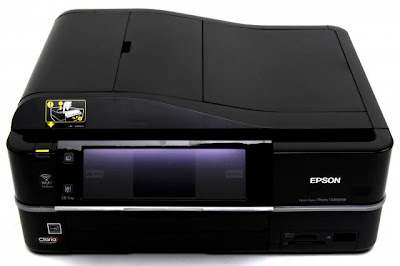
Before using the Software Resetter Epson Stylus Photo TX810FW, make sure:
a. Epson Stylus Photo Printer Drivers TX810FW already installed first, and make sure the printer is connect to the computer
b. Make sure you have the "Software Resetter Printer Epson Stylus Photo TX810FW"
c. Make sure that the damages requested in the printer reset counter (usually a red flame of the lamp on the printer all)
Here is a tutorial resetter Epson Stylus Photo TX810FW:
One. Prepare Adjustment Epson Stylus Photo Software TX810FW on your computer
2. If the software is compressed, the software used to extract resetter his Epson Stylus Photo TX810FW
3. Turn on the Printer
4. Open the folder resetter Epson Stylus Photo TX810FW Adjprog.exe you and run the file.
5. Click Particular adjustment mode menu entry to reset the printer counter
6. Find and click the Consumables menu maintenance counters, and then click OK
7. Put a check in the Main and Platen countre pad pad counters, and then click Check to find out the counter value at the time of blinking, and OK to continue the adjustment Epson tx810fw
Click initialization to change / reset the printer counter becomes zero, so the printer to be normal again. Then click OK to continue
8. Click Finish to end the process of resetting the counter Epson Stylus Photo TX810FW
9. Click Previous to return to main menu
10. Click Quit to exit the program counter reset Epson Stylus Photo TX810FW
11. Reset waste ink counter Epson Stylus Photo TX810FW already been done, turn off the printer for a while, then restart the printer, and wait until finished printer calibration

Friday, November 22, 2013
Resetter Epson Stylus Photo 1390
Need adjustment program or software resetter for Epson Stylus Photo 1390, download the software from download link below. To use this software is easy but this software only work on Windows XP. If you use newest windows version such as windows 7 You can use comparability mode to run this software without error. The unique feature on this software, this having shipping setting in maintenance menu feature. This function is implementing in case of nozzle expulsion troubles caused by the transport. This function will cleaning the printer and performed automatically when the printer is turned on.
Epson Stylus Photo 1390 is a Spectacular Epson printer and this printer can print Up To A3+ Size. Other feature, this printer using cost-efficient INKdividual cartridges to rediuce cost when printing.
 Reset waste ink Counter using adjustment program Epson Stylus Photo 1390
Epson Stylus Photo 1390 is a Spectacular Epson printer and this printer can print Up To A3+ Size. Other feature, this printer using cost-efficient INKdividual cartridges to rediuce cost when printing.
- Turn on the Printer.
- Set date setting in your computer to 4 October 2007.
- Run Adjustment Program by clicking “AdjProg.exe”.
- Select Accept
- Select Particular adjustment mode
- Select “Waste ink pad counter – OK
- Click Initialization to reset current protection counter to “Zero”.
- Turn off printer and turn on again.
Sunday, November 10, 2013
Resetter Epson Stylus Photo R220 and R230
Before run adjustment program or software resetter Epson Stylus Photo R220 and R230, set date setting in your computer to 12 January 2006. Appearance of adjustment program Epson stylus photo R220 and R230 like adjustment program for Epson C45. Your Epson Stylus Photo R220 and R230 must be installed correctly in your computer before using the software otherwise so this software resetter will not be used.
Epson R220 and R230 using 6 Individual Intellidge Colour Ink Cartridges and this printer designed for photo printing. This printer has a very high resolution up to 5760 x 1440 dpi and allows photo quality printing. It has parallel and USB interface to connected to computer and its compatible with Windows 98, Windows 2000, ME Windows XP and Macintosh.
 Here how to Reset Epson R220 and R230 using the software
Updated
If this software not work, you can also use SSC software to reset printer Epson R220 and Epson R230. the newest version of SSC software (SSC ver 3.40) support for this printers.
Epson R220 and R230 using 6 Individual Intellidge Colour Ink Cartridges and this printer designed for photo printing. This printer has a very high resolution up to 5760 x 1440 dpi and allows photo quality printing. It has parallel and USB interface to connected to computer and its compatible with Windows 98, Windows 2000, ME Windows XP and Macintosh.

- Download and extract downloaded software and run it.
- Click accept button.
- Set model name, port selection and destination setting and equal to your printer.
- Click Maintenance Tab.
- Check mark waste ink pad counter.
- And the clear the protection counter (reset counter to zero)
- Then click Ok, Ok
- done
Updated
If this software not work, you can also use SSC software to reset printer Epson R220 and Epson R230. the newest version of SSC software (SSC ver 3.40) support for this printers.
Subscribe to:
Posts (Atom)