Sunday, November 24, 2013
Resetter canon 1980 1880 iP2500 iP1900 iP1100 iP1800
Error printer Always appear message:...
“The Ink Absorber is Full
Contact The service Center”.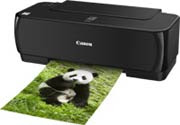
Or Ink Full Tank usually indicator lamp on power and resume blinking many times
But don’t be afraid, You just follow this step :
Manual Reset Steps :
1. Press and hold power button with your finger and then take in power cable
2. Hold power button, then press resume button with your middle finger twice.
3. Let in power button
4. Printer doesnot blinking any more.
5. At this step you had done Manual Reset Step and printer could be use again.
6. But if manually your printer still error, you should use Reset Software permanently
Read more...
“The Ink Absorber is Full
Contact The service Center”.
Or Ink Full Tank usually indicator lamp on power and resume blinking many times
But don’t be afraid, You just follow this step :
Manual Reset Steps :
1. Press and hold power button with your finger and then take in power cable
2. Hold power button, then press resume button with your middle finger twice.
3. Let in power button
4. Printer doesnot blinking any more.
5. At this step you had done Manual Reset Step and printer could be use again.
6. But if manually your printer still error, you should use Reset Software permanently

Saturday, November 23, 2013
HOW TO RESET CANON PRINTER PIXMA IP1980

Canon PIXMA iP1980 Photo Printer is same as Canon Pixma ip 1880,
TO FIX PRINTER ERROR "parts inside printer end service life, waste ink pad counter overflow error, waste ink absorber full error you should use General resetter Tools for Canon Pixma ip 1880.
How you can reset ink level on Canon Pixma iP1800
Step1. Press and hold the power button while plugging in the powerchord - green lamp will glow.
Step2. Hold the power button and press the resume button twice - the orange lamp will blink and return to green.
Step3. Release the power button - the prnter will be ready.
Step4. Print a test page.
Step5. Printer is Ok Now.
You Can Use General Tool Also To Reset iP1980.
Download General Tool
Friday, November 22, 2013
Resetter Epson Stylus Photo 1390
Need adjustment program or software resetter for Epson Stylus Photo 1390, download the software from download link below. To use this software is easy but this software only work on Windows XP. If you use newest windows version such as windows 7 You can use comparability mode to run this software without error. The unique feature on this software, this having shipping setting in maintenance menu feature. This function is implementing in case of nozzle expulsion troubles caused by the transport. This function will cleaning the printer and performed automatically when the printer is turned on.
Epson Stylus Photo 1390 is a Spectacular Epson printer and this printer can print Up To A3+ Size. Other feature, this printer using cost-efficient INKdividual cartridges to rediuce cost when printing.
 Reset waste ink Counter using adjustment program Epson Stylus Photo 1390
Epson Stylus Photo 1390 is a Spectacular Epson printer and this printer can print Up To A3+ Size. Other feature, this printer using cost-efficient INKdividual cartridges to rediuce cost when printing.
- Turn on the Printer.
- Set date setting in your computer to 4 October 2007.
- Run Adjustment Program by clicking “AdjProg.exe”.
- Select Accept
- Select Particular adjustment mode
- Select “Waste ink pad counter – OK
- Click Initialization to reset current protection counter to “Zero”.
- Turn off printer and turn on again.
Subscribe to:
Posts (Atom)